


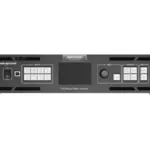


По запросу
Запрос ценыСветодиодный контроллер
По запросу


Brightness Control | 1-100 Levels |
Frame Frequency | 25HZ-120HZ |
Grey Level | 1024 |
Display Color | 1 Billion |
Processing Depth | 10bit |
Image Scaling | Support |
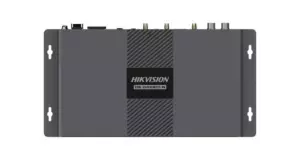
Product Model | DS-D42V16-N |
Chassis Height | 2.1 U |
Chassis Width | Full Width |
Product Type | LED Controller |
Average Consumption | ≤70W |
Number of power interfaces | 1 |
Power interface specifications | 100~240 VAC, 50/60 Hz |
Working Temperature | 0°C ~ 50°C |
Storage Humidity | 10% ~ 85% |
Working Humidity | 20% ~ 85% |
Storage Temperature | -20°C ~ 60°C |
Packaging Size (W × H × D) | 530.0 mm × 420.0 mm × 193.0 mm |
Net Weight | 6.22KG |
Gross Weight | 9.78KG |
Dimensions (W × H × D) | 482.6 mm × 372.5 mm × 94.6 mm |
Packing List | 1x EU power cord1x US power cord 1x UK power cord1x Cat 5e Ethernet cable1x USB cable1x DVI cable1x HDMI cable1x Quick Start Guide1x Certificate of Approval |
Audio Input Interface(s) | NA |
Audio Input Interface Type | NA |
Video Input Interface(s) | 7 |
Video Input Interface Type | 1 HDMI2.0+4 DVI+2 3G-SDI |
Max. Input Resolution | 4K |
Video Input Resolution | HDMI2.0 interface;Maximum supported resolution: 4096*2160@60Hz;Minimum supported resolution: 320*180@60Hz;Customizable resolution, total resolution not more than 8.85 Million@60;Limit width: 320~8192 Alignment: 4 alignment;Limit height: 180~8192 Alignment: 1 alignment;Support HDCP1.4;Does not support interlaced signal input;2 SDI; Max. input resolution: Up to 1920×1080@60Hz;Support for interlaced signal input and deinterlacing processing;Does not support input resolution settings;4 DVI;Single link DVI connector, with max. input resolution up to 1920×1200@60Hz;Four DVI inputs can form an independent input source, which is DVI Mosaic;Support for custom resolutions;− Max. width: 3840 pixels;− Max. height: 3840 pixels;HDCP 1.4 compliantS;Does not support interlaced signal input |
Video Input Processing Characteristics | Processing depth 8/10/12bit ;Sampling format:;RGB:444;YUV:444;YUV:422 |
Max. Output Resolution | 10.4 Million |
Loading Capacity for Video Output to LED | Single port with load 650000;Width 634~16384;Height 1268~8192 |
LED Loading Interfaces | 16 |
LED Loading Interface Type | RJ45 |
Number of video ring pass output interfaces | NA |
Video looping output interface type | NA |
Video looping output resolution | NA |
Audio Output Interface(s) | NA |
Audio Output Interface Type | NA |
Screen | TFT |
Key | Power switch:Power on or power off the device.;Input source buttons:;On the layer editing screen, press the button to switch the input source for;the layer; otherwise, press the button to enter the resolution settings screen;for the input source :Status LEDs:;On (orange): The input source is accessed and used by the layer.; Dim (orange): The input source is accessed, but not used by the layer.; Flashing (orange): The input source is not accessed, but used by the layer.;Off: The input source is not accessed and not used by the layer.;Knob:Rotate the knob to select a menu item or adjust the parameter value.;Press the knob to confirm the setting or operation;ESC button:Exit the current menu or cancel the operation;Layer buttons:Press a button to open a layer, and hold down the button to close the layer.; MAIN: Press the button to enter the main layer settings screen.;PIP 1: Press the button to enter the settings screen for PIP 1.; PIP 2: Press the button to enter the settings screen for PIP 2.;SCALE: Turn on or turn off the full screen scaling function of the bottom layer.;Function buttons:PRESET: Press the button to enter the preset settings screen.; FN: A shortcut button, which can be customized as a shortcut button for;Synchronization (default), Freeze, Black Out, Quick Configuration or Image Color function |
pilot lamp | On (orange): The input source is accessed and used by the layer.; Dim (orange): The input source is accessed, but not used by the layer.; Flashing (orange): The input source is not accessed, but used by the layer.;Off: The input source is not accessed and not used by the layer. |
Control network port | ETHERNET:1,Connect to the control PC for communication. Connect to the network. USB:2 |
3D interface | NA |
IR input | NA |
Serial Interface | RS232:1,Connect to the central control device |
Light perception | NA |
USB | USB 2.0 (Type-B):;− Connect to the PC for debugging.;− Input connector to link another device; USB 2.0 (Type-A):;Output connector to link another device |
On-off | Switch |
Для отправки отзыва вам необходимо авторизоваться.
По запросу
Запрос цены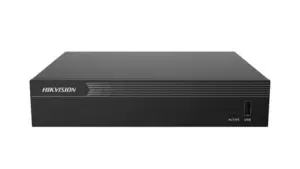
По запросу
Запрос цены
По запросу
Запрос цены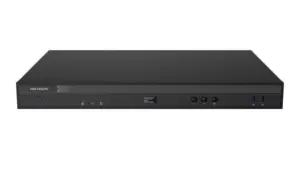
Hikvision DS-DT60P-02HDI12NO/U
12-портовый светодиодный контроллер 3-в-1
12-портовый светодиодный контроллер 3-в-1
По запросу
Запрос цены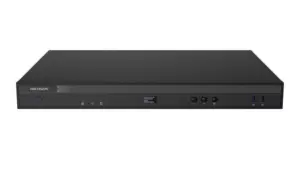
Hikvision DS-DT60P-02HDI20NO/U
20-портовый светодиодный контроллер 3-в-1
20-портовый светодиодный контроллер 3-в-1
По запросу
Запрос цены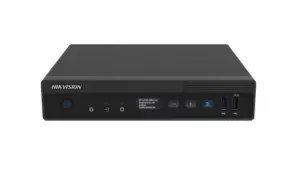
4-портовый светодиодный контроллер 3-в-1
4-портовый светодиодный контроллер 3-в-1
По запросу
Запрос цены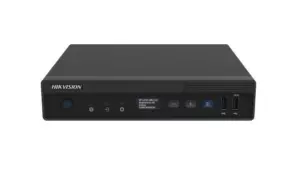
6-портовый светодиодный контроллер 3-в-1
6-портовый светодиодный контроллер 3-в-1
По запросу
Запрос цены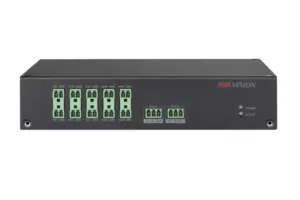
По запросу
Запрос цены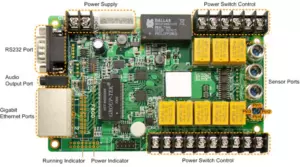
По запросу
Запрос цены Как выбрать LED-экран: шаг пикселя, яркость, размерЧитать →
 Как выбрать интерактивную панель (smart board)Читать →
 Как выбрать камеру для дома: простое руководствоЧитать →
 NVR или DVR: какой регистратор выбратьЧитать →
 Как выбрать PoE-коммутатор для IP-камерЧитать →
 Сколько ТБ нужно жёсткому диску для видеонаблюдения: расчёт архиваЧитать →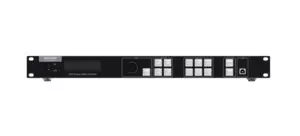


Отзывы
Отзывов пока нет.